Start here
Use a 320 × 180 base viewport with stretch mode viewport, aspect keep and scale mode integer. At a 1000 × 700 window, this example stays at 3× with 960 × 540 content and letterboxing.
Each logical stripe occupies exactly three display pixels at both tested integer-scaled window sizes; a fractional comparison shows the uneven 3/4 px stripe widths this configuration avoids.
What you need
The native project renders a static 320 × 180 scene containing 256 alternating one-pixel stripes and a cell from the original numbered sprite sheet. You need uniform pixel blocks when the desktop window changes size.

Tested with: Godot 4.7.2-stable, Compatibility renderer, macOS 27.0.1/arm64. Actual native-window captures at 960×540 and 1000×700 were independently decoded.
1. Set the base viewport and integer stretch policy
- Import the extracted
godot-sprites/project.godot. - For your own pixel-art scene, set the project's base viewport to 320 × 180. Choose stretch mode viewport, aspect keep and scale mode integer in the Display/Window settings.
- Keep texture sampling appropriate for the artwork. This example uses Nearest; integer viewport scaling and texture filtering control different stages.
The shared download applies the following equivalent native Window properties when you run its viewport case. Other examples in the same project use a larger presentation viewport.
var window := get_window()
window.content_scale_size = Vector2i(320, 180)
window.content_scale_mode = Window.CONTENT_SCALE_MODE_VIEWPORT
window.content_scale_aspect = Window.CONTENT_SCALE_ASPECT_KEEP
window.content_scale_stretch = Window.CONTENT_SCALE_STRETCH_INTEGER
window.size = Vector2i(1000, 700)
Viewport mode renders the low-resolution scene before scaling it to the window. With the fixed aspect and integer policy used here, unused space becomes black bars.
2. Run the same viewport at two window sizes
From the directory containing the extracted project, use your installed Godot executable:
godot --headless --editor --path godot-sprites --import
godot --path godot-sprites -- --case=T22 \
  --window=960x540 --stretch=integer --hold
godot --path godot-sprites -- --case=T22 \
  --window=1000x700 --stretch=integer --hold
Run one window at a time and close it before continuing. At 960 × 540 the 320 × 180 content fills the window at 3×. At 1000 × 700 it remains 960 × 540 at 3×, centered 20 px from the left and 80 px from the top.
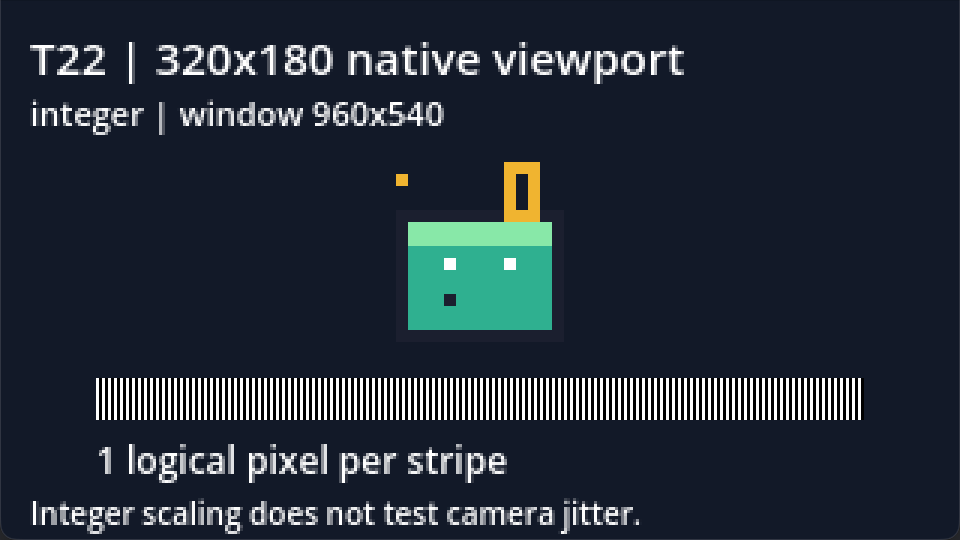
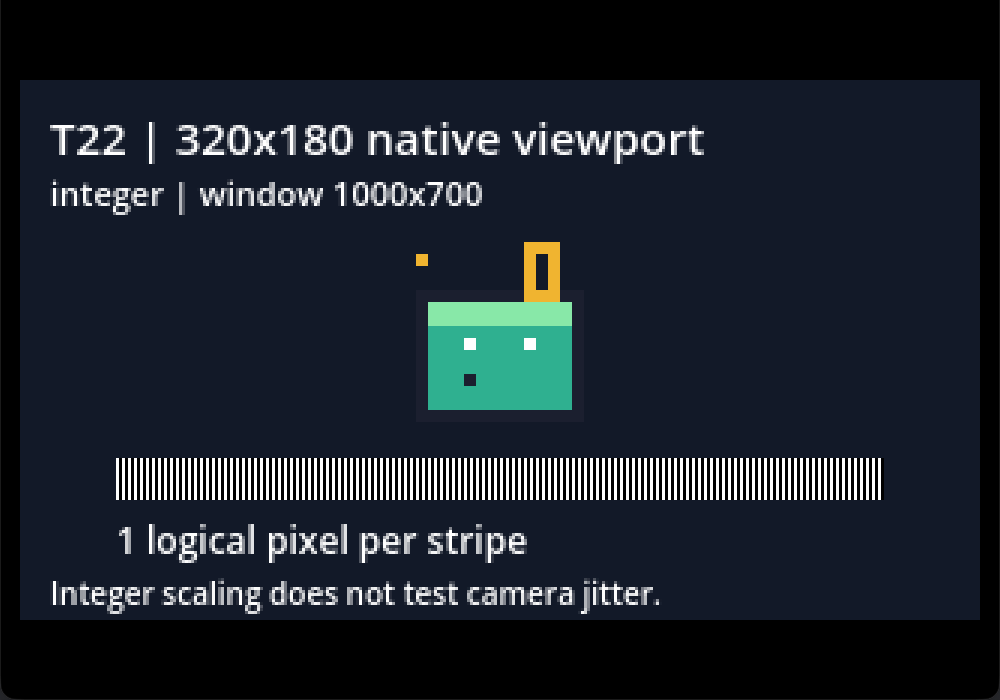
Independent decoding found all 256 stripes exactly 3 display pixels wide in both native-window captures and checked the larger window's letterboxing.
3. Compare fractional scaling at the same window size
godot --path godot-sprites -- --case=T22 \
  --window=1000x700 --stretch=fractional --hold
The available width allows a fractional 3.125× scale. Individual logical stripes now occupy 3 or 4 display pixels, making their widths uneven even with the same original scene and Nearest texture sampling.
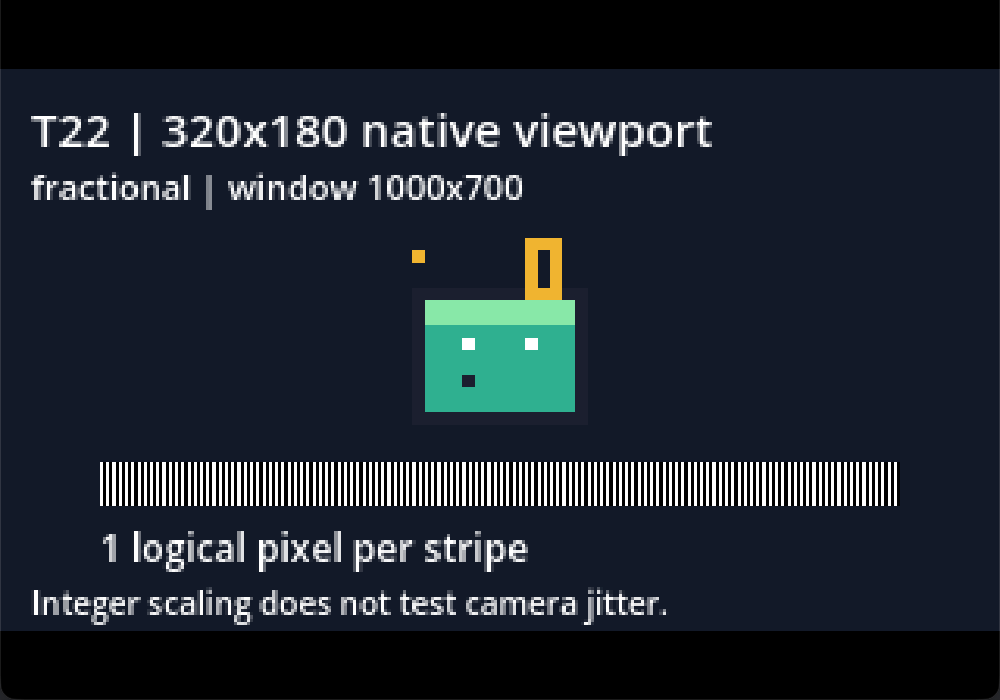
The integer scale is the whole-number fit within the available space: floor(min(1000 / 320, 700 / 180)) = 3. The remaining pixels become bars instead of being spread unevenly across the logical grid.
4. Verify the final window and keep camera motion separate
A saved 320 × 180 internal viewport image alone cannot demonstrate physical window scaling or letterboxing. These screenshots capture the task's native window after scaling; the displayed web previews are resized for this page. Inspect full-size files at 100% when checking stripe widths.
The recorded macOS captures can include a one-pixel OS window edge and rounded corners. Pixel assertions used the controlled interior. Recheck your target display and DPI settings rather than assuming the same physical measurements on every platform.
Boundary: this is a static viewport test; moving cameras were not exercised. It does not prove that integer viewport scaling fixes moving-camera jitter, fractional sprite transforms or every motion artifact. If one still sprite is blurry, check its filter inheritance separately.
The demo accepts windows from 320 × 180 through 1400 × 900. It rejects malformed, smaller or out-of-range arguments; it does not establish a downscaling policy for windows below its base resolution.