GODOT · FILTERING & SPRITE SHEETS
Upscale Godot sprites without blur.
Blurry in-game sprites? Try Godot's native Nearest filter and integer viewport scaling first. If you need a larger PNG, the browser tool below enlarges it at 2×, 4× or 8× and calculates the frame grid.
or drop it here, or paste with Ctrl/⌘ + V
PNG, JPEG, WebP or GIF · up to 10 MB · never uploaded
Use a lossless PNG for clean pixel art. JPEG and lossy WebP artifacts are preserved. GIF uses its first frame only. Output is a static PNG.
Original CC0 sprite sheet · 64×32 px · 16×16 px frames.
Sprite Sheet Grid & Slice Calculator
Calculations use your uploaded image and the latest successfully generated PNG.
Uniform grids only. Padding and spacing are not supported; packed atlases and animation metadata are not read. Enter each original frame’s size.
New PPU = original PPU × actual factor. This keeps the same size in Unity world units.
Upload a sheet and generate a PNG to calculate settings.
Godot 4 Sprite2D
Unity Sprite Editor
1. Fix texture filtering before enlarging the file
Keep your original PNG while checking the engine. In Godot 4, open Project > Project Settings > Rendering > Textures > Canvas Textures and set Default Texture Filter to Nearest. Check the sprite's own Texture Filter and its parents too: a CanvasItem can override the inherited filter. See the Godot CanvasItem reference.
Godot 3 uses a different workflow: select the PNG in the FileSystem dock, disable Filter in its Import settings and click Reimport. See the Godot 3.6 import guide.
2. Check viewport scaling and camera movement
For a low-resolution Godot 4 pixel-art project, choose your intended base viewport size, use Stretch Mode: viewport, and use Stretch Scale Mode: integer in Godot 4.2 or later. Integer scaling can leave black bars when the window is not an exact multiple. These are the settings in Godot's pixel-art resolution guide.
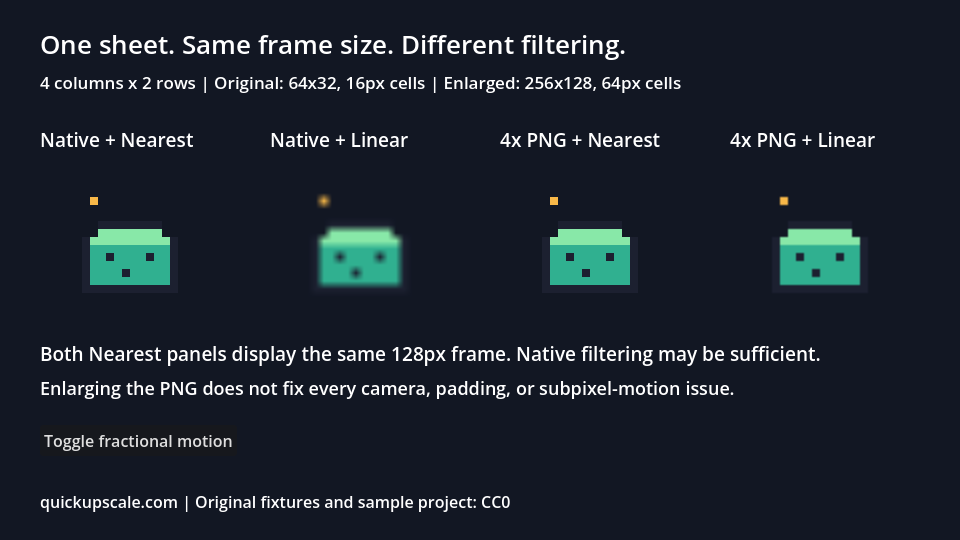
If the sprite is sharp when still but shimmers during movement, inspect camera smoothing, fractional positions, zoom and rotation. A larger source PNG does not correct a fractional runtime transform. If neighboring frames leak into an atlas region, inspect its rectangle, padding and sampling settings separately.
3. Enlarge only when your workflow needs a bigger PNG
Pre-enlargement can be useful for a fixed-size export or a pipeline that requires larger texture files. The tool above produces a static PNG; it does not import animation timing, tags, pivots or engine resources. If Nearest and integer viewport scaling solve your game's display, you can keep the native-size asset.
Try the original eight-frame example
Download the original 64×32 PNG and the nearest-neighbor 4× PNG. The original has four columns and two rows: eight 16×16 cells. The enlarged sheet is 256×128 with 64×64 cells. In Sprite2D, assign either texture, then set Hframes = 4 and Vframes = 2; those counts stay the same.

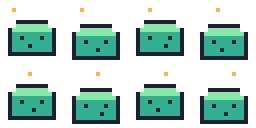
If you replace the native texture with its 4× copy, a Sprite2D Scale of 0.25 preserves the original on-screen size. Importing a sheet alone does not create an animation: configure frame order and timing in your engine. The downloadable Godot example project includes native and enlarged assets; its README records the target version, setup and validation scope.
Choose a native sprite task
Follow the tested engine sprite workflows for ordered animation, irregular AtlasTexture regions, inherited filter overrides or integer viewport scaling. Each includes an original runnable project and an inspected native result.
Tools and tutorials
Open the Sprite Sheet Upscaler for the general upload-to-grid workflow, or read the nearest-neighbor guide for the pixel comparison. Moving assets between engines? See Unity filtering, camera and PPU settings.
? QUESTIONS
- Why does pixel art look blurry in Godot 4?
- Godot 4 sets Default Texture Filter to Linear by default. Go to Project Settings > Rendering > Textures and set Default Texture Filter to Nearest.
- Does upscaling sprite sheets break Godot Sprite2D animation frames?
- A regular sheet whose dimensions divide evenly by its frame counts stays divisible after integer scaling. Hframes and Vframes stay the same; multiply region dimensions and offsets by the factor. Check padding and filtering separately.
- Should I scale sprites in Godot or pre-scale with QuickUpscale?
- Try the original PNG with Nearest texture filtering first. Integer viewport scaling in Godot 4.2+ can keep display pixels even. A larger PNG is optional and does not fix fractional camera positions, filtering or uneven display scaling.
- Are my game assets uploaded to a server?
- No. All processing happens 100% in your local browser canvas. Your unreleased Godot game assets never leave your device.